

Sense
Sense helps organizations ensure their video environment is ready for live and routine video events by identifying potential risks and areas for improvement before issues impact viewers.
Sense combines continuous readiness checks with targeted evaluations to help teams understand and maintain preparedness for both daily operations and important events.
Overview
Hive Sense focuses on three main areas:
-
Ongoing Readiness: Automated, daily checks across your organization’s video environment to monitor readiness and highlight configuration or performance issues early.
-
Event Readiness: Validates preparedness for specific live events by running pre-event tests at the locations where viewers are expected to participate, augmented by insights from previous events.
-
Site Readiness: Uses recurring tests to verify that selected sites can deliver the expected video experience over time or before future events.
Key Concepts
Ongoing Readiness
Ongoing Readiness automatically evaluates essential aspects of your video setup each day. It provides:
-
Early identification of configuration or readiness issues.
-
Monitoring of important technical components (network, eCDN, devices).
-
History and trends to find recurring problems.
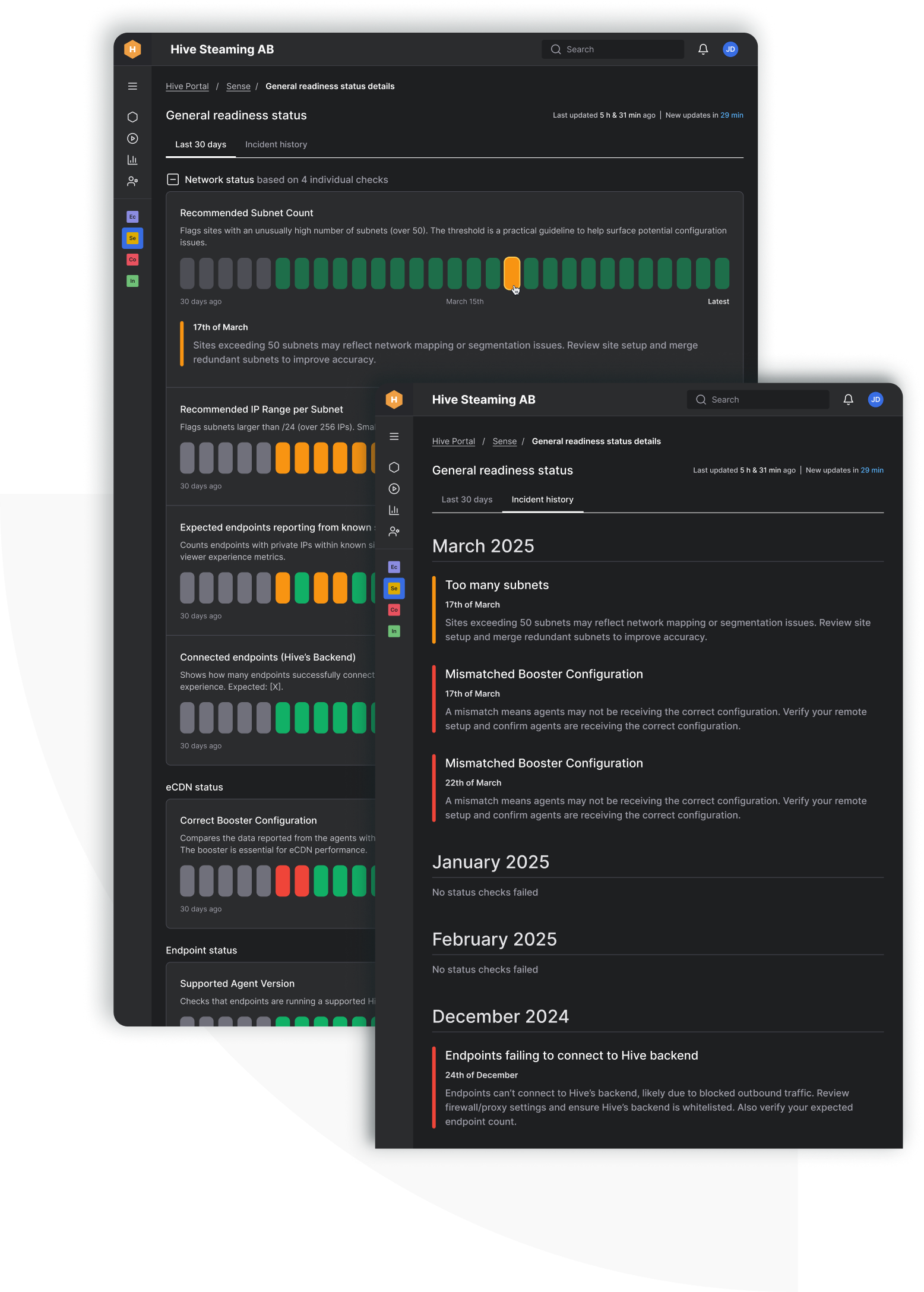
Checks include factors such as network segmentation, agent version compliance, eCDN configuration, and endpoint connectivity. Results are visible in Hive Portal, with drill-downs for individual checks and historical incident overviews.
Event Readiness
Event Readiness lets you set up and run a pre-event simulation based on the details and locations of an upcoming live event. You can:
-
Model the event by specifying its details and expected audience locations.
-
Select participating agents and configure test settings.
-
Analyze results on reliability, quality, and latency using VX Scores and diagnostics before going live, reducing last-minute surprises.
-
Repeat tests as event approaches or after making changes.
Site Readiness
Site Readiness is designed for focused testing at specific locations:
-
Schedule recurring evaluations for ongoing monitoring or after remediation.
-
Review test results to confirm site readiness or verify the impact of changes.
-
Manage and stop tests or entire recurring assessments as needed.
How it Works
To use Sense, your organization must:
-
Deploy Hive VX Agent version 2025.3.0 or later at relevant sites.
-
Enable Booster and complete required network whitelisting.
-
Set up Site Information in Hive Portal if using site-based functionality.
Once prerequisites are met, Sense becomes available through Hive Portal according to your organization’s user permissions.
Supported Platforms
Sense is video-platform agnostic and supports integration with enterprise video platforms. Some features may depend on the video platform or type of evaluation.
Recommended Next Steps
-
Ensure the Hive VX Agent is installed and updated at all relevant locations.
-
Configure Site Information for any locations that need site-based checks.
-
Enable the Hive Sense module in Hive Portal.
-
Start by reviewing General Readiness and setting up an evaluation for an upcoming event or specific site.
-
Contact Hive Support or your representative with any setup questions.